Thermal Transfer Ribbons: Wax vs Wax/Resin vs Resin
A label that scans on the printer and smudges to grey in the warehouse two weeks later is not a label problem. It is a ribbon problem. Most companies buy a thermal transfer ribbon once, at the lowest price per roll, and never revisit the choice, which is how wax ribbons end up on polypropylene labels in a chilled store and resin ribbons end up on ordinary paper cartons at three times the necessary cost. The three grades are wax, wax/resin and resin, and the correct one is decided by the label material and the abuse the label has to survive, not by the printer.
Which thermal transfer ribbon should you order?
Start here. The table covers the common cases we ship to retailers, warehouses and producers across Estonia, Latvia, Lithuania and Finland. All three grades below are 110 mm wide, 74 m long and wound coated side out, which is the format a Zebra desktop printer takes.
| Your situation | Order this | Why |
|---|---|---|
| Paper labels, indoor, scanned within weeks: cartons, shelf edges, picking labels | Zebra 2300 wax (02300GS11007) | Cheapest grade that prints a clean code on uncoated paper |
| Paper or matte synthetic, handled a lot, some moisture or rubbing: shipping, pallet, outdoor tagging | Zebra 3200 wax/resin (03200GS11007) | One ribbon that works on both paper and matte synthetics |
| Polyester or polypropylene labels, chemicals, heat, cold store, asset plates | Zebra 5095 resin (05095GS11007) | Only grade that bonds properly to synthetic face stock |
If you are printing more than a few hundred labels a day, order the same grade in 450 m rolls instead. The maths is in the cost section below.
What is the real difference between wax, wax/resin and resin?
All three ribbons are a polyester carrier film with an ink layer on one side and a backcoating on the other. The printhead melts the ink layer onto the label. What changes between grades is the ratio of wax to resin in that ink layer.
Wax melts at a low temperature, so it transfers easily and fast, but it stays soft. It sits on the surface of a paper fibre and rubs off. Resin melts at a higher temperature, needs more printhead energy and more darkness, but it chemically bonds to a smooth synthetic surface and stays there. Wax/resin is the middle: harder than wax, more forgiving than resin, and the grade most businesses should default to if they only want to stock one.
| Property | 2300 wax | 3200 wax/resin | 5095 resin |
|---|---|---|---|
| Label materials | Uncoated and coated paper labels and tags | Uncoated and coated paper, matte synthetics | All synthetic materials, some top-coated labels and tags |
| Rated print speed | Up to 304 mm/s standard codes, 152 mm/s rotated | Up to 254 mm/s on coated paper, 203 mm/s on synthetics, 152 mm/s on uncoated paper | Up to 203 mm/s for 10 to 12 mil codes at ANSI grade A |
| Smudge and scratch | Low resistance, marks with a fingernail | Good on paper and matte synthetics | High, survives repeated handling |
| Chemical resistance | Minimal | Resists everyday chemicals, splashes, steam | Resists glass cleaner, motor oil, WD-40, alcohol and petrol; not acetone or xylene |
| Typical use | Retail tags, shipping and receiving, inventory, warehouse | Box, pallet and shipping labels, outdoor tagging, pharmaceutical | Chemical drums, heat exposed parts, automotive, rating plates, cold store |
| Shelf life | One year at 5 to 35 C, 20 to 80 percent RH | One year at 5 to 35 C, 30 to 85 percent RH | One year at minus 5 to 40 C, 20 to 85 percent RH |
Two things in that table are easy to miss. First, the 5095 chemical list is specific: it resists the solvents a workshop actually spills, but acetone and xylene will still lift it. Second, wax prints faster than resin. If you are running an industrial printer at full speed and switch to resin without lowering the speed, you will get faded or broken bars, and the printer is not at fault.
What does a label actually cost with each grade?
Price per roll is the wrong number. Price per label is the number that matters, and it makes the gap between grades look much smaller than the shelf price suggests. The figures below assume a 100 mm long label on a 3 mm gap, so roughly 718 labels from a 74 m roll and 4368 from a 450 m roll, at 110 mm ribbon width.
| Ribbon | 74 m roll (desktop) | Cost per label | 450 m roll (industrial) | Cost per label |
|---|---|---|---|---|
| 2300 wax | 2.76 EUR | 0.38 cents | 12.19 EUR | 0.28 cents |
| 3200 wax/resin | 5.33 EUR | 0.74 cents | 25.19 EUR | 0.58 cents |
| 5095 resin | 8.75 EUR | 1.22 cents | 51.67 EUR | 1.18 cents |
Moving from wax to wax/resin costs about 0.36 cents per label on desktop rolls. At 200 labels a day over 250 working days that is about 180 EUR a year in extra ribbon, so this is not a free upgrade and you should not apply it to the whole fleet by reflex. Upgrade the applications where a smudged code gets a delivery rejected, and leave the rest on wax. If your labels are read once at the goods-in door and thrown away, wax is genuinely fine and paying for resin is waste.
Roll length matters more than grade for cost. The same 2300 wax ribbon drops from 0.38 to 0.28 cents per label simply by buying the 450 m roll instead of the 74 m roll, a 26 percent saving with no change in print quality. If your printer takes long rolls, use them. Ribbon cartridges for the Zebra ZD421 are the opposite case: the 2300 wax cartridge (02300CT11007) works out at about 1.25 cents per label, roughly three times the loose roll, which you are paying for the convenience of a five-second media change.
How do you match ribbon width and length to the printer?
Three numbers have to line up: width, length and winding direction.
Width. The ribbon must be at least as wide as the printed area, and in practice slightly wider than the label. A 104 mm print width with a 110 mm ribbon is correct. Running a ribbon narrower than the label lets the label edge contact the printhead directly, and that is the fastest way to burn out printhead elements. Narrower ribbons for narrower labels are cheaper: a 64 mm 2300 roll is 1.61 EUR against 2.76 EUR for the 110 mm, so match the width rather than standardising everything on the widest roll.
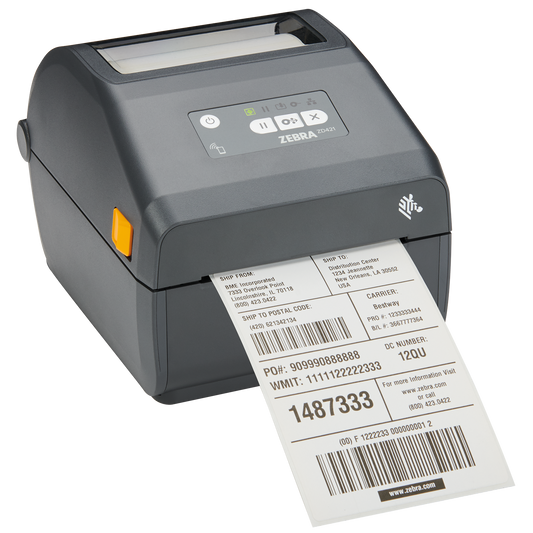
Length. 74 m rolls are the desktop format, used by the desktop label printers such as the ZD421 and ZD621. 300 m and 450 m rolls are for industrial label printers like the ZT231. A 450 m roll will not fit inside a desktop printer, so check before ordering a pallet of them.
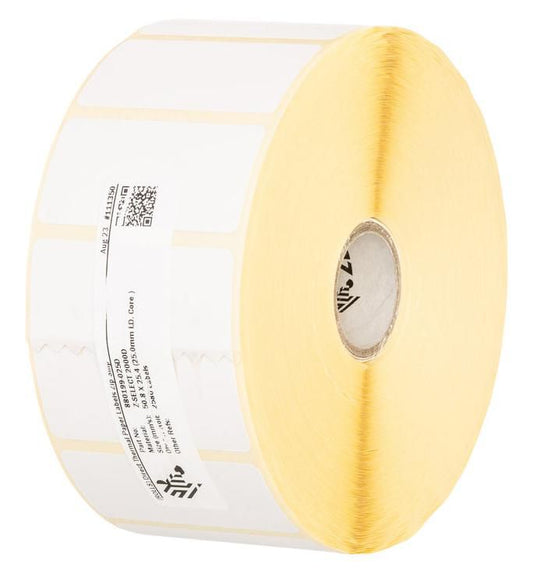
Winding. Coated side out (CSO) means the ink faces away from the core. Coated side in (CSI) means it faces the core. Every Zebra ribbon we stock in the sizes above is wound coated side out, which is what Zebra printers require. If you are running a printer from another manufacturer, check the manual first. A CSI ribbon in a CSO printer prints nothing at all and usually leaves ink on the platen roller. The field test takes ten seconds: press a piece of sticky tape onto the outside of the ribbon and pull it off. If ink comes away on the tape, the coating is on the outside.
Which ribbon mistakes actually cost money?
The first is using wax on synthetic labels. The print looks perfect leaving the printer and then wipes off with a thumb, because there is nothing for wax to bond to on a polypropylene surface. If you have switched to synthetic labels for moisture resistance, the ribbon has to move at the same time.
The second is turning up darkness to fix a faint resin print rather than slowing the printer down. Excess darkness at high speed wears the printhead and can wrinkle the ribbon, giving diagonal void lines across the code. Drop the speed first, then adjust darkness in small steps.
The third is mixing ribbon grades in a fleet of identical printers so that nobody knows which machine has what loaded. Pick one grade per application, write the part number on the printer, and keep a spare of that exact part number beside it.
Common questions
Can I use a thermal transfer ribbon in a direct thermal printer?
No. Direct thermal printers have no ribbon path at all; they burn the image into heat-sensitive label stock. If your printer is a dual-mode model such as the ZD421, it can do both, but you must switch the media type in the driver as well as loading the ribbon.
Does the ribbon have to be the same brand as the printer?
Mechanically, no. Practically, genuine ribbons are matched to the printhead's energy curve and carry a backcoating formulated to reduce printhead wear, which is where cheap unbranded ribbons cost you later. A printhead is a far more expensive item than a year of ribbons.
How long does a printed label last?
Indoors, on paper with wax, expect legible prints for months rather than years. Wax/resin on a synthetic label survives outdoor exposure and handling for a year or more. Resin on polyester is the grade used for rating plates and asset tags meant to last the life of the equipment.
Why is my ribbon running out faster than my labels?
Ribbon is consumed by label length, not by printed area, so a 74 m roll gives you 74 m of labels whatever you print on them. If the ribbon empties first, your roll of labels is longer than 74 m. Match the two: buy label rolls and ribbon rolls that finish at roughly the same time, so operators change both in one stop.
Can I print colour with these ribbons?
These are black. Coloured wax and resin ribbons exist for spot marking, but for full colour on labels you need a colour label printer rather than a thermal transfer ribbon.
What ribbon do GHS chemical labels need?
Resin on synthetic face stock. A GHS label has to survive the contents of its own drum plus 90 days of outdoor exposure under BS5609 testing, which wax and wax/resin will not do.
What to order next
If you are stocking one grade, make it 3200 wax/resin: it prints acceptably on everything most businesses use. If you are stocking two, add 2300 wax for high-volume paper work and keep 5095 resin only for the synthetic and chemical jobs that need it. Browse the full range of thermal transfer ribbons by width and length, match them to your label stock, and see the printers they run on in label printers. Manufacturer detail is on the Zebra 2300 European Wax specification sheet and the Zebra 5095 resin specification sheet.
Tags:
Previous
Zebra Part Number Decoder: TC22, TC27, TC53e, TC58e
Next
Rugged Tablets and Laptops: Which Model for Which Job