Comparison
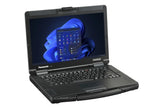
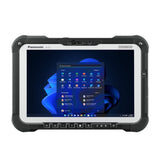
TOUGHBOOK 55 vs G2: rugged laptop or rugged tablet?
A 14-inch semi-rugged laptop or a 10.1-inch fully rugged tablet? Compare the TOUGHBOOK 55 mk3 and G2 mk3 on battery, weight, ruggedness and expansion.
Best for most users
View product
In this guide
The TOUGHBOOK 55 mk3 is a semi-rugged 14-inch laptop with a built-in keyboard, up to 20 hours of runtime with its optional second battery, and the most expansion options. The TOUGHBOOK G2 mk3 is a fully rugged 10.1-inch tablet that you can turn into a 2-in-1 with an optional keyboard: lighter, tougher against drops, dust and water, and with a rear camera. Choose by where the device works: in a vehicle or on a desk, or in your hand outdoors.
Specifications side by side
| TOUGHBOOK 55 mk3 | TOUGHBOOK G2 mk3 | |
|---|---|---|
| Type | Laptop (clamshell) with handle | Tablet, optional detachable keyboard |
| Screen | 14.0 inch, 1366 × 768 or 1920 × 1080 touch | 10.1 inch, 1920 × 1200, touch and digitiser |
| Brightness | Up to 1,000 cd/m² (Full-HD touch) | Up to 1,000 cd/m² |
| Touch modes | Touch, Touch (Glove), Pen, Pen/Touch (touch model) | Pen, glove, rain |
| Processor | Intel Core i5-1345U vPro or i7-1370P vPro | Intel Core Ultra 5 135U vPro |
| Memory | 16 GB DDR4, up to 64 GB | 16 GB DDR5x, up to 32 GB |
| Storage | 512 GB SSD (up to 2 TB), optional second SSD | 512 GB SSD (up to 2 TB) |
| Battery life (MobileMark 25) | About 10 hours, about 20 hours with second battery | About 11 hours standard, 15 hours extended battery |
| Hot swap | With optional second battery | Models with built-in bridge battery (swap within 1 minute) |
| Weight | From 2.08 kg (2.22 kg touch) | Approx. 1.19 kg (standard battery) |
| Size | 345 × 272 × 32.8 mm | 279 × 188 × 23.5 mm |
| Drop rating | 91 cm | 180 cm |
| Dust and water | IP53 | IP65 |
| Standard ports | 2 × USB 3.2, Thunderbolt 4, HDMI, microSDXC, LAN | USB 3.2 Type-A, Thunderbolt 4, LAN |
| Expansion | 3 xPAK areas (left, right, rear) | 2 bays (top, rear) |
| Cameras | 2 MP IR front | 2 MP IR front, 13 MP rear with flash |
| Wireless | Wi-Fi 6E, Bluetooth 5.3, optional 4G or 5G | Wi-Fi 6E, Bluetooth 5.3, optional 4G or 5G |
| Ruggedness standard | MIL-STD-810H | MIL-STD-810H |
| Operating system | Windows 11 Pro | Windows 11 Pro |
Figures: Panasonic Europe product pages and mk3 Reference Manuals. Real battery life depends on use.
Choose the TOUGHBOOK 55 if
- Staff type a lot: reports, forms, diagnostics
- The device lives in a vehicle dock or on a desk
- You need the longest runtime: about 20 hours with two hot-swappable batteries
- You want legacy ports (VGA, serial), a DVD or Blu-ray drive, or a second SSD
- You need more than 32 GB of memory
Choose the TOUGHBOOK G2 if
- Staff work standing, walking or outdoors, often one-handed
- The device must survive rain, dust and drops of up to 1.8 m
- You want to scan barcodes, take photos or use a thermal camera
- Weight matters more than screen size
- You want a tablet and a laptop-style keyboard in one device
Expansion and accessories
Both models use user-replaceable modules, but they don't share them. On the 55, three xPAK areas take a second SSD, optical drives, smart card, fingerprint and HF-RFID readers, a second battery and rear I/O modules with VGA, true serial and extra LAN or USB. On the G2, the top bay takes a 2D barcode reader, serial, second USB, second LAN, a FLIR thermal camera or micro-SD; the rear bay takes a smart card, HF-RFID (NFC) or fingerprint reader.
The G2 keyboard (FZ-VEKG21L*) is rated IP65 and adds a USB 3.0 Type-A and a USB-C port. The 55 has a backlit, user-replaceable keyboard with four programmable keys. Docks are model-specific: Panasonic states that the 55 also works with TOUGHBOOK 54 docks from Gamber-Johnson and Havis, and the G2 mk3 manual lists the FZ-VEBG11AU and FZ-VEBG21 series cradles.
What is the same
Both run Windows 11 Pro on Intel vPro processors, use Panasonic's support site, drivers and Recovery Image Download Service, and have a 2 MP infrared camera for Windows Hello, Wi-Fi 6E, Bluetooth 5.3, nano-SIM plus eSIM (one active at a time) on mobile broadband models, and Thunderbolt 4. Setup and fixes for both are in the TOUGHBOOK 55 and G2 setup guide and TOUGHBOOK 55 and G2 troubleshooting.
Our models: TOUGHBOOK 55 mk3 (FZ-55J260KBG) · TOUGHBOOK G2 mk3 (FZ-G2NBMBGB4). Panasonic's full specifications: TOUGHBOOK 55 · TOUGHBOOK G2.
Frequently asked questions
Is the TOUGHBOOK 55 fully rugged?
Panasonic calls the 55 semi-rugged: IP53, MIL-STD-810H and a 91 cm drop rating. The G2 is fully rugged with IP65 and a 180 cm drop rating.
Which has the longer battery life?
It depends on the batteries: the 55 mk3 runs about 10 hours on one battery and 20 hours with the second battery; the G2 mk3 about 11 hours (standard) or 15 hours (extended), all MobileMark 25.
Can the TOUGHBOOK G2 replace a laptop?
With Panasonic's optional keyboard it works as a 2-in-1. For long typing sessions, a 14-inch screen, more memory or optical drives, the 55 is the better fit.
Do both have a barcode reader?
The G2 offers an optional 2D barcode reader in its top bay. For the 55, Panasonic lists a Universal Bay barcode reader for North America only; ask us about availability.
Was this guide helpful?
More TOUGHBOOK 55 guides
Related guides
Still stuck?
Contact support
Send us your model and a short description of the problem. Our team will help you find a solution.