


The Epson TM-m30II-SL is an all-in-one POS solution that combines the proven TM-m30II 80 mm thermal receipt printer with a low-profile tablet stand. Its sliding clamp securely holds virtually any tablet up to 12″ – iPad, Android or Windows – so you get a complete, space-saving checkout for shops, cafés, restaurants and service counters. It prints sharp 203 dpi receipts at up to 250 mm/s with an auto-cutter, charges and connects the tablet over a single cable (Sync & Charge) and offers USB, Ethernet and Bluetooth plus USB-A ports for peripherals. This version, C31CH63512, is black; it comes with the Epson PS-180 power supply and a power cord with an EU (Schuko) plug – interface cables and the tablet are not included.
💡 Useful extras: the Bixolon USB-KAB-G USB cable for a wired connection to a PC; the Epson DM-D70 (C32C882042) colour customer display for the rear of the stand; the Epson OT-WL06 (C32C891323) unit for Wi-Fi network printing; 80 mm thermal paper rolls (Zebra Z-Perform 1000D 60, 80 mm (3013286) or Zebra Z-Perform 1000D 80, 80 mm (3012973)); the Epson OT-BZ20 external buzzer – an audible alert for new orders in busy kitchens. The RJ12 drawer kick-out port opens a standard 24 V cash drawer automatically with every sale.
| Part Number | C31CH63512 |
|---|---|
| Model | Epson TM-m30II-SL (512) |
| Printer Type | All-in-one POS: 80 mm thermal receipt printer with low-profile sliding-clamp tablet stand |
| Print Method | Direct thermal line printing |
| Resolution | 203 × 203 dpi (8 dots/mm) |
| Print Speed | Max. 250 mm/s |
| Paper Width | 80 mm (79.5 ± 0.5 mm) or 58 mm (57.5 ± 0.5 mm, with the supplied paper guides) |
| Characters per Line | 80 mm: 48 (Font A) / 57 (Font B) |
| Roll Diameter | Max. 83 mm (core 18 mm) |
| Auto-cutter | Auto-cutter (partial cut); life 2,200,000 cuts |
| Interfaces | USB 2.0 Type-B (PC), 3 × USB 2.0 Type-A (incl. 1 Device Charging port for the tablet, up to 2.1 A; others for scanner, keypad, scale, customer display or Wi-Fi unit), Ethernet 10Base-T/100Base-TX, microSD card slot (special use) |
| Wireless | Bluetooth 3.0 (EDR); Wi-Fi via optional Epson OT-WL06 USB wireless LAN unit (C32C891323) |
| Drawer Kick-out | Yes – RJ12 drawer kick-out port (24 V) |
| Emulation / Command Set | ESC/POS; Epson ePOS (ePOS-Print, Server Direct Print), Epson OMS cloud |
| Fonts / Character Sets | Font A 12 × 24, Font B 10 × 24 dots; 95 alphanumeric, 18 international character sets, 128 × 43 graphic |
| Barcodes | 1D: UPC-A, UPC-E, EAN-8, EAN-13, Code 39, Code 93, Code 128, ITF, Codabar (NW-7), GS1-128, GS1 DataBar; 2D: QR Code, PDF417, DataMatrix, Aztec, MaxiCode, Composite Symbology |
| Drivers & Software | APD (Windows), OPOS, OPOS.NET, JavaPOS, CUPS (Linux), macOS driver, Epson ePOS SDK (iOS, Android, JavaScript), TM Utility, EpsonNet Config |
| Tablet Mounting | Sliding clamp for tablets up to 304 × 216 mm (approx. 12″) and max. 9 mm thick; standard table (up to approx. 282 × 176 mm) fitted, large table included; rear: optional OT-DM30SL or DM-D70 customer display |
| Mobile Printing | Tablet Charge & Sync – power and data to the mounted tablet over one USB cable (iOS via Lightning, Android 10 or later via USB OTG); Bluetooth printing from iOS, Android and Windows |
| Data Buffer | 12 KB |
| Sensors | Paper end, paper near-end, cover open |
| Power Supply | Epson PS-180 AC adapter (included), 24 V DC, 1.8 A; AC 100–230 V, 50/60 Hz |
| Power Consumption | Approx. 32.8 W operating; approx. 1.6 W standby |
| Dimensions (W × D × H) | 289 × 322 × 166 mm |
| Weight | Approx. 3.5 kg (incl. AC adapter, excl. paper) |
| Color | Epson Black |
| Installation | Horizontal or vertical; wall-hanging with the optional OT-WH30SL bracket set (C32C881018) |
| Operating Temperature | 5 °C to 45 °C |
| Storage Temperature | −20 °C to 60 °C |
| Humidity | 10–90% RH |
| Noise Level | Approx. 55 dB(A) |
| Reliability | MTBF 360,000 hours; MCBF 65,000,000 lines; printer life 17,000,000 lines |
| Print Head Life | 150 km |
| Warranty | 24 months (carry-in) |
| Options | Rear customer display OT-DM30SL, DM-D70 (C32C882042) / DM-D30 customer displays, wall-hanging bracket set OT-WH30SL (C32C881018), OT-WL06 Wi-Fi unit (C32C891323), OT-BZ20 buzzer (C32C890634), DF-10 fixing tape |
| In the Box | Epson TM-m30II-SL printer (black, sliding-clamp tablet stand with standard tablet table fitted), large tablet table (tablets up to approx. 12″), lock lever cover and screw, Epson PS-180 AC adapter with EU (Schuko) power cord, 58 mm paper roll guides, starter paper roll, power switch cover, setup guide and documents – USB, Ethernet and tablet charging cables NOT included; tablet not included |
Looking for an even more compact tower design with a front tablet and optional rear display? Take a look at the Epson TM-m30II-S, available in black and white. Compare other models in our POS Receipt Printers collection or contact our team for volume pricing.
| Product | Price | ||
|---|---|---|---|
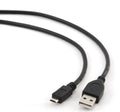 |
Bixolon connection cable, USBUSB-KAB-G | 7,34 €+VATOut of Stock | View |
| TSC USB cable (A/B), 1,5m, beigeSP-COM-0002 | 8,51 €+VATOut of Stock | View | |
 |
M3 Mobile connection cable, USB (A/B)UNIV-CABL-UBA | 6,13 €+VATIn Stock | |
 |
Epson DM-D70C32C882042 | 212,83 €+VATIn Stock | |
 |
Epson DM-D70A61CH62111 | 223,47 €+VATIn Stock | |
 |
Epson DM-D30A61CF26111 | 169,69 €+VATOut of Stock | View |
 |
Epson DM-D70A61CH62101 | 223,47 €+VATOut of Stock | View |
 |
Epson DM-D30A61CF26101 | 169,69 €+VATOut of Stock | View |
| Epson Wireless LAN Dongle, 2,4 / 5 GHzC32C891323 | 120,89 €+VATOut of Stock | View | |
| Epson buzzerC32C890634 | 43,86 €+VATIn Stock | ||
 |
Original Power SupplyC32C825341 | 48,15 €+VATOut of Stock | View |
| Epson power cord2119140 | 3,48 €+VATOut of Stock | View |
| Product | Width | Length | Roll Ø | Core | Price | ||
|---|---|---|---|---|---|---|---|
 |
Zebra Z-Perform 1000D 60 Receipt3013286 | 80 mm | 15.54 m | 40 mm | 12.7 mm | 4,86 €+VATIn Stock | |
 |
Zebra Z-Perform 1000D 80 Receipt3012973 | 80 mm | — | 40 mm | 12.7 mm | 3,63 €+VATIn Stock | |
 |
Zebra Z-Perform 1000D 80 Receipt3013287 | 80 mm | 11.28 m | 40 mm | 12.7 mm | 3,86 €+VATIn Stock | |
 |
Zebra Z-Perform 1000D 60 Receipt3014861-T | 80 mm | 26.52 m | 50 mm | 12.7 mm | 7,27 €+VATOut of Stock | View |
 |
Citizen Thermal Paper3623200 | 80 mm | — | 56 mm | 12.7 mm | 65,18 €+VATOut of Stock | View |
 |
Zebra Z-Perform 1000D 60 Receipt3013689 | 58 mm | 15.54 m | 40 mm | 12.7 mm | 2,76 €+VATIn Stock | |
 |
Zebra Z-Perform 1000D 80 Receipt3013690 | 58 mm | 11.28 m | 40 mm | 12.7 mm | 2,53 €+VATOut of Stock | View |
 |
Citizen Thermal Paper3621900 | 58 mm | — | 48 mm | 12.7 mm | 45,19 €+VATOut of Stock | View |
 |
Zebra Z-Perform 1000D 60 Receipt3007158-T | 57 mm | 12.19 m | 40 mm | 19 mm | 2,93 €+VATOut of Stock | View |
 |
Thermal paper 80mm / 80m 12 gKK019262 | 80 mm | 80 m | — | 12 mm | 9,28 €+VATIn Stock |
Don't forget! The products that you viewed. Add it to cart now.
Here’s some of our most similar products people are buying. Click to discover trending style.