


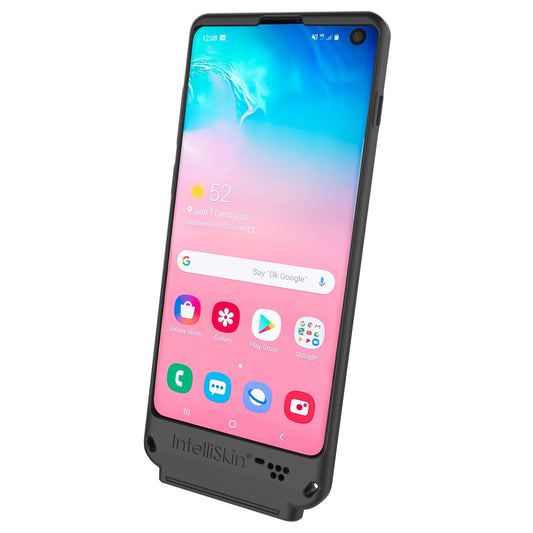
RAM Mounts IntelliSkin USB-C GDS Sleeve for Samsung Galaxy S10+ (RAM-GDS-SKIN-SAM48)
Regular price
77,73 € +VAT
RAM Mounts Galaxy S10+ IntelliSkin (RAM-GDS-SKIN-SAM48) gives the S10+ a USB-C GDS connector that stays in the phone, plus rugged contacts on the outside for docking. In USB-C GDS docks it charges and syncs data; placed in the GDS Hub, the phone can switch to Samsung DeX mode. The S10 and S10e take different skins.
For the other S10 phones, choose the S10 IntelliSkin or the S10e IntelliSkin.
| Part Number | RAM-GDS-SKIN-SAM48 |
|---|---|
| Compatible Devices | Samsung Galaxy S10+ |
| Device Connector | USB-C |
| Compatible Docks | USB-C GDS docks and accessories; GDS Hub for Samsung DeX |
| Materials | Polycarbonate and thermoplastic elastomers |
| Weight | 0.07 kg (0.15 lb) |
| In the Box | IntelliSkin sleeve |
Supplying Galaxy S10+ phones with a dock at every workstation? As an Official RAM Mounts Reseller we combine skins with USB-C GDS docks and Hubs to suit each desk.
Yes. The S10+ needs RAM-GDS-SKIN-SAM48; the S10 uses RAM-GDS-SKIN-SAM46.
USB-C GDS docks and accessories for charging and data sync; the GDS Hub adds Samsung DeX mode.
Don't forget! The products that you viewed. Add it to cart now.
Here’s some of our most similar products people are buying. Click to discover trending style.