How-to
Rugged tablet vehicle mounts: RAM docks for Samsung, Getac, Zebra
Choose a RAM Mounts vehicle mount for Galaxy Tab Active5, Getac, Panasonic Toughbook and Zebra rugged tablets: form-fit docks, IntelliSkin, Tab-Tite, charging, locking and a fit table.
In this guide
A rugged tablet vehicle mount has three jobs: hold the tablet steady on rough roads, keep it charged and keep it in the vehicle. This guide covers RAM Mounts options for rugged tablets used in defence, border guard, police and rescue vehicles: Samsung Galaxy Tab Active5, Getac ZX70 and UX10, Panasonic Toughbook FZ-G1 and G2, and Zebra ET4x to ET8x and L10.
The table lists only catalogue products whose RAM pages confirm the fit. SCANSHOP is an official RAM Mounts reseller and can check other part numbers. Background: RAM Mounts for defence and security vehicles.

Before you start
You'll need
- The exact tablet model and size, and the case, rugged frame or boot it wears
- The vehicle's supply voltage (12 V or 24 V)
- Your needs for charging, USB peripherals, locking and quick release
- A position away from airbags and the driver's view
Which option to choose
- Form-fit holders and powered docks are shaped for one tablet model. Powered docks charge through contacts.
- IntelliSkin + GDS dock: the tablet stays in a sleeve with a built-in connector. RAM says IntelliSkin "prevents damage to the charging ports" and states that "IntelliSkin sleeves are MIL-STD-810G drop protection certified."
- Universal holders: Tab-Tite is a spring-loaded, quick-release holder, Tab-Lock adds a lock, and X-Grip holds most 9"–11" tablets with a spring-loaded X design. Check the tablet's dimensions with its case on, as RAM asks.
| Form-fit holder or dock | IntelliSkin + GDS dock | Universal holder | |
|---|---|---|---|
| Charging | Powered docks | Yes, through the sleeve | No, separate cable |
| USB peripherals | Power + USB versions | USB versions | No |
| Locking | Key or combination | Locking versions | Tab-Lock |
| Case | Frame or boot named by RAM | IntelliSkin only | Any, within the size range |
Video: RAM Mounts

Find the rugged tablet vehicle mount for your model
"Passive" means the holder doesn't power the tablet.
| Tablet | RAM product | Power and data | Lock and notes |
|---|---|---|---|
| Galaxy Tab Active5, Active3 | IntelliSkin Next Gen for Active5 or Active3 + GDS Tough-Dock or Locking GDS Tough-Dock | USB-C into the dock | Locking version: key |
| Galaxy Tab Active5, Active3 | Key-Locking Safe-Case | Via Uni-Conn button and GDS dock | Steel, key |
| Tab Active5 in Samsung cover | USB-C Powered Dock | USB-C, non-Power Delivery charger | |
| Getac ZX70 | Form-Fit Holder, Temp-Module or NFC Extender version | Passive; V9U or V10U charger | Key; NFC version: no Getac hand strap or kickstand |
| Getac UX10, Panasonic FZ-G2 | Tab-Tite | Passive | UX10: no extended battery or handle; Thunderbolt port blocked |
| Panasonic FZ-G1 | Tab-Tite or Tab-Lock | Passive | Tab-Lock: key; Tab-Tite: no extended battery |
| Zebra ET40/ET45 8" in Rugged Frame, ET401 8" in RAM Skin | Locking Tough-Dock, 8" | 5.5 mm DC, 2 × USB-A | Key |
| Zebra ET40/ET45 8" in IntelliSkin | GDS Power + Dual USB Dock | USB-C, 2 × USB-A | Needs IntelliSkin Next Gen for ET40/ET45 8" |
| Zebra ET40/ET45 10" in Rugged Frame, ET401 10" in RAM Skin | Locking Tough-Dock, 10" | 5.5 mm DC, 2 × USB-A | Key |
| Zebra ET5x 8.3"/8.4" in Rugged Frame | GDS Combo Locking Dock | 5.5 mm DC, 2 × USB-A | Combination lock |
| Zebra ET6x (ET60/ET65) | Locking Dock, heated pins | 5.5 mm DC, 2 × USB-A | Key; keyboard optional |
| Zebra ET8x (ET80/ET85) | Locking Power + Dual USB Dock | 5.5 mm DC, 2 × USB-A | Key |
| Zebra XSLATE L10 | GDS Powered Dock | 5.5 mm DC |
Important
Samsung offers No Battery Mode to keep a Tab Active5 powered and avoid a swollen battery. RAM states that the IntelliSkin Next Gen sleeve will not support No Battery Mode on the Tab Active5 or Tab Active3, and its Tough-Dock and Powered Dock pages say the same. Planning battery-free tablets? Ask us first.
Tab Active5 Tactical Edition: Samsung introduced it in May 2025 as MIL-STD-810H compliant, IP68-rated and "available through select IT channel partners". The RAM pages above don't name it; confirm the fit with us.
Zebra ET401: RAM's ET4x Tough-Docks take it in a RAM Skin boot (RAM-SKIN-ZE44 8", -ZE45 10"); for GDS docks RAM makes an ET401 IntelliSkin Next Gen (RAM-GDS-SKIN-ZE42-NG, -ZE43-NG). Ask us for them. See our ET401 setup guide.
Video: RAM Mounts
Recommended RAM Mounts for rugged tablets

RAM MOUNTRAM Mounts IntelliSkin Next Gen Sleeve for Samsung Galaxy Tab Active5Part no. RAM-GDS-SKIN-SAM90-NG
132,23 €+VATIn stock

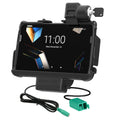
RAM MOUNTRAM Mounts Locking GDS Tough-Dock for Samsung Galaxy Tab Active5 & Active3Part no. RAM-GDS-DOCKL-SAM62CPU
303,32 €+VATAvailable on request

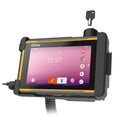
RAM MOUNTRAM Mounts Locking Tough-Dock with Power + Dual USB for Zebra ET4x 8" with Rugged FramePart no. RAM-HOL-ZE20PD2KLU
351,66 €+VATIn stock

RAM MOUNTRAM Mounts Key-Locking Power + Dual USB-A Dock with Heated Pins for Zebra ET60 & ET65Part no. RAM-HOL-ZE25PD2HLU
721,56 €+VATAvailable on request

RAM MOUNTRAM Mounts Key-Locking Form-Fit Holder for Getac ZX70, Temp Module CompatiblePart no. RAM-HOL-GE3FKLU
233,89 €+VATIn stock

RAM MOUNTRAM Mounts Tab-Tite Holder for Panasonic FZ-G2 & FZ-A3, Getac UX10 + MorePart no. RAM-HOL-TAB34U
60,19 €+VATIn stock
Buying for a fleet or a tender? Ask us for a quote.
Get a quote- IntelliSkin Next Gen: RAM says it "upgrades the device's USB-C port to flat, ruggedized pogo pads".
- Locking GDS Tough-Dock: key-locking Tab Active5 dock.
- Locking Tough-Dock for ET4x 8": charging plus two USB-A ports; RAM: "MIL-STD 810G Shock and Vibration tested".
- ET6x heated-pin dock: heating "to prevent pogo pins from locking up".
- ZX70 Form-Fit Holder: key lock, temperature-module ready.
- Tab-Tite: one holder for the FZ-G2 and UX10.
Decide on charging, data and locking
Charging. Zebra form-fit docks take 5.5 mm DC input, GDS IntelliSkin docks USB-C. Feed them from a hardwire charger matched to the vehicle voltage (see GDS hardwire chargers for 12 V and 24 V). Passive holders need a cable to the tablet.
Data. Power + Dual USB docks have two USB 2.0 Type A ports (RAM: 900 mA per port) for peripherals.
Locking. A key or combination lock keeps the tablet in the dock. To protect the mount itself, fit a Pin-Lock security nut to the D-size arm.
Build the mount: AMPS plate, arm and base
Every dock and holder in the table attaches through RAM's 4-hole AMPS pattern (1.181" × 1.496", ≈ 30 × 38 mm). A D-size kit is the usual choice:
- Round AMPS plate with ball, D-size on the dock (RAM: "Standard Use: 6 lbs").
- A D-size double socket arm, as short as the reach allows.
- A D-size vehicle base, for example the drill-down round plate with ball.
RAM's approximate maximum load for a D ball is 6 lb (≈ 2.7 kg): "Approximate capacity for a standard ball with a mid-length arm. Shorter arms and steel-reinforced posts increase real-world capacity." Weigh the whole assembly; see our RAM ball sizes guide.
Install it safely in the vehicle
Check
RAM: "Do not install this product near or over an airbag deployment area or in a location that obstructs the driver's vision or interferes with vehicle operation." Follow the vehicle maker's and RAM's installation instructions.
- Hold the docked tablet in place; check airbag labels and the driver's view.
- Fix the base to a solid surface as RAM's instructions describe.
- Have a qualified installer hardwire the charger, fused as the instructions specify. RAM's diagram shows a battery feed (always on) or a fuse block feed (with ignition).
- Route cables clear of seat rails and moving parts.
- Tighten the knob, test docking and the lock, and recheck after the first drive.
Set up the tablet for vehicle use
See our ET60/ET65 setup guide or Toughbook 55 and G2 setup guide. Shared vehicle tablets are easier to manage in Android kiosk mode.
Frequently asked questions
What is the best vehicle mount for the Samsung Galaxy Tab Active5?
For fleets, the IntelliSkin Next Gen sleeve with the Locking GDS Tough-Dock: charging plus a key lock.
Does RAM IntelliSkin support No Battery Mode on the Tab Active5?
No. RAM states the sleeve will not support No Battery Mode on the Tab Active5 or Tab Active3.
Which RAM mount fits the Getac ZX70?
RAM's Key-Locking Form-Fit Holder (Temp-Module or NFC Extender version). It is passive; RAM pairs it with the V9U or V10U hardwire charger.
Is there a RAM vehicle mount for the Toughbook G2?
Yes: the Tab-Tite holder for the FZ-G2, FZ-A3 and Getac UX10. It is passive, so plan a charging cable.
Was this guide helpful?
Used in this guide
Compatible consumables and accessories for the Zebra ET40.
Products used in this guide
| Product | Price | ||
|---|---|---|---|
 |
RAM Mounts IntelliSkin Next Gen Sleeve for Samsung Galaxy Tab Active5RAM-GDS-SKIN-SAM90-NG | 132,23 €+VATIn stock | |
 |
RAM Mounts Locking GDS Tough-Dock for Samsung Galaxy Tab Active5 & Active3RAM-GDS-DOCKL-SAM62CPU | 303,32 €+VATOut of stock | View |
 |
RAM Mounts Locking Tough-Dock with Power + Dual USB for Zebra ET4x 8" with Rugged FrameRAM-HOL-ZE20PD2KLU | 351,66 €+VATIn stock | |
 |
RAM Mounts Key-Locking Power + Dual USB-A Dock with Heated Pins for Zebra ET60 & ET65RAM-HOL-ZE25PD2HLU | 721,56 €+VATOut of stock | View |
 |
RAM Mounts Key-Locking Form-Fit Holder for Getac ZX70, Temp Module CompatibleRAM-HOL-GE3FKLU | 233,89 €+VATIn stock | |
 |
RAM Mounts Tab-Tite Holder for Panasonic FZ-G2 & FZ-A3, Getac UX10 + MoreRAM-HOL-TAB34U | 60,19 €+VATIn stock |
No matching products.
More Zebra ET40 guides
ET40
How-toGround support equipment tablet mounts: RAM for tugs and forklifts60 min · Medium
ET40
How-toZebra StageNow and OEMConfig: stage and configure Android devices30 min · Advanced
EDA52
How-toWorkspace ONE UEM setup for Zebra and other rugged Android devices60 min · Advanced
EDA52
How-toSOTI MobiControl setup for Zebra, Honeywell, Datalogic and Newland60 min · Advanced
EDA52
How-toMicrosoft Intune setup for Zebra, Honeywell and other rugged devices60 min · Advanced
EDA52
How-toHow to choose an MDM for a small fleet of rugged Android devices30 min · Medium
Still stuck?
Contact support
Send us your model and a short description of the problem. Our team will help you find a solution.
