How-to
Locking tablet mount for vehicles: RAM Pin-Lock, docks, Safe-Case
Lock the device in its dock, lock the arm with Pin-Lock, or both: how RAM anti-theft options work, which to choose for unattended vehicles and shift work, and how to handle the keys.
In this guide
A locking tablet mount keeps a vehicle tablet, handheld or laptop in place when the crew steps away or the next shift takes over. RAM Mounts locks work at two points: the device in its dock, and the knob on the arm. This guide helps police, rescue, border guard and defence fleets choose and manage them, as part of our RAM Mounts guide for defence and security vehicles.

No lock, dock lock or arm lock: three set-ups
RAM calls its key and combination locks “theft deterrence” and says the Pin-Lock adds “tamper resistance”. A lock makes a quick grab or tampering harder. It does not turn a vehicle into a safe.
| Set-up | What is locked | What it makes harder | RAM options |
|---|---|---|---|
| 1. No lock | Nothing; the crew takes the device along | Nothing | X-Grip, Tab-Tite, non-locking docks |
| 2. Device locked | The device in its dock, holder or case | Pulling the device out | Tab-Lock, locking docks, Safe-Case |
| 3. Device and arm locked | Device and arm knob | Removing dock and device together | Pin-Lock, key-lock knob |
Set-up 2 alone leaves the arm knob free to unscrew. For unattended vehicles, use set-up 3.
Which option to choose
Vehicle left unattended
Take the device along when you can. Otherwise lock it in a key-locking dock or a Safe-Case, fit a Pin-Lock and screw or bolt the base down. RAM describes its Tough-Claw clamp as offering “tool-less installation and removal”, and that works for anyone. Never leave keys in the vehicle.
Shared devices across shifts
Keep one labelled key set with the vehicle keys, or use a combination-lock dock so there are no keys to hand over. With a Pin-Lock, crews can still adjust the angle within limits.
Devices removed at the end of the shift
Here fast undocking matters more than a dock lock. Still fit a Pin-Lock: a powered dock left in the vehicle is worth protecting.
For the right dock per tablet model, see our rugged tablet vehicle mount guide. SCANSHOP is an official RAM Mounts reseller: send us the device model, and we will check which locking version RAM makes.
Lock the device in a locking tablet mount or dock
The main kinds of RAM locking holder:
- Tab-Lock – a universal cradle for 10–11 in rugged tablets with a “locking mechanism for theft deterrence” and two keys. Check RAM’s height, width and depth ranges against your tablet with its case on.
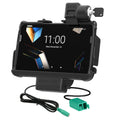
- Key-locking form-fit docks – shaped for one device, often with power and USB. The Locking Tough-Dock for Zebra ET4x 8" has “a key lock for theft deterrence” and two keys; it does not take IntelliSkin.
- GDS key-locking docks – for devices in an IntelliSkin sleeve. The Locking GDS Tough-Dock for Tab Active5 and Active3 has two keys and needs an IntelliSkin Next Gen sleeve, not included (Tab Active5 or Active3 version).
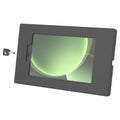
- Safe-Case – a key-locking, two-piece steel enclosure that, RAM says, “protects against theft, tampering, and tough environmental conditions”. It mounts by VESA, AMPS or flush, and RAM’s instructions add optional side screws “for added security”.
Recommended locking RAM docks and holders

RAM MOUNTRAM Mounts Tab-Lock Locking Holder for 10–11" Rugged TabletsPart no. RAM-HOL-TABL19U
123,93 €+VATIn stock

RAM MOUNTRAM Mounts Locking GDS Tough-Dock for Samsung Galaxy Tab Active5 & Active3Part no. RAM-GDS-DOCKL-SAM62CPU
303,32 €+VATAvailable on request

RAM MOUNTRAM Mounts Locking Tough-Dock with Power + Dual USB for Zebra ET4x 8" with Rugged FramePart no. RAM-HOL-ZE20PD2KLU
351,66 €+VATIn stock

RAM MOUNTRAM Mounts Key-Locking Safe-Case for Samsung Galaxy Tab Active5 & Active3, BlackPart no. RAM-TE-SAM99
167,30 €+VATAvailable on request
Buying for a fleet or a tender? Ask us for a quote.
Get a quoteMore options, including a combination-lock dock:
| Device | Locking option | Lock |
|---|---|---|
| Galaxy Tab Active5 / Active3 | Locking GDS Tough-Dock or Safe-Case | Key |
| Zebra ET40 / ET45 8" (Rugged Frame), ET401 (RAM Skin) | Locking Tough-Dock | Key |
| Zebra ET5x 8.3" / 8.4" | GDS combination-lock dock | Combination |
| Zebra ET60 / ET65 | Key-locking dock, heated pins | Key |
| Getac ZX70 | Key-locking form-fit holder | Key |
| Zebra TC73 / TC78 in IntelliSkin | GDS key-locking dock, heated pins | Key |
| Most laptops 10–17 in (diagonal) | Tough-Tray III with cam lock | Key |
Lock the arm with RAM Pin-Lock or a key-lock knob
The knob on a double socket arm clamps both balls. RAM’s Pin-Lock replaces it with a security nut or knob that is turned with a matching key knob.
| Arm size | RAM lock | What RAM says |
|---|---|---|
| D (57.2 mm ball) and E (85.9 mm) | Pin-Lock Security Nut RAP-S-NUT5-4U | Replaces all knobs on D and E arms and mounts; one key |
| C (38.1 mm ball) | Pin-Lock Security Knob RAP-S-KNOB5U | Replaces all knobs on C arms and mounts; randomised patterns; one key |
| C (38.1 mm ball) | Key Lock Knob RAM-KNOB5LU or arm RAM-201LU | Brass-insert key-lock knob; two keys |
RAM also lists a key-lock knob for B size arms; ask us. Unsure of the size? See our RAM ball sizes guide.
RAM’s steps for the D and E security nut:
- Tighten the mount’s existing knob fully.
- Place the security nut on the key knob with the Pin-Lock patterns aligned.
- Insert it into the knob and tighten the key knob by hand.
- Tighten fully, using a thin screwdriver through the key knob as a lever.
- Loosen by two full turns to keep limited adjustment.
Note
RAM states that the mount then “can be loosened and adjusted, but cannot be removed or disassembled without the use of the key knob”. For the C size knobs, follow RAM’s sheet for that part.
RAM Pin-Lock security nuts and knobs

RAM MOUNTRAM Mounts Pin-Lock 4-Pin Security Nut for D- and E-Size Socket ArmsPart no. RAP-S-NUT5-4U
11,37 €+VATIn stock

RAM MOUNTRAM Mounts Pin-Lock Security Knob for C-Size Socket ArmsPart no. RAP-S-KNOB5U
17,77 €+VATAvailable on request
Buying for a fleet or a tender? Ask us for a quote.
Get a quoteInstall it safely in the vehicle
Important
RAM’s instructions say: “Do not install this product near or over an airbag deployment area or in a location that obstructs the driver’s vision or interferes with vehicle operation.” Follow the vehicle maker’s and RAM’s instructions.
- Screw or bolt the base to a solid surface where the vehicle maker allows it.
- Have a qualified installer wire and fuse powered docks and chargers, following RAM’s and the vehicle maker’s instructions.
- Test every lock, and the spare key, before the vehicle goes into service.
Set up key and code management
- Count the keys on delivery. RAM supplies one key with each Pin-Lock part and two with the Tab-Lock, the key-lock knob and the locking Tough-Docks.
- Label and record. Mark each key set with the vehicle or asset number and list each lock’s RAM part number.
- Keep spares at the depot, never in the vehicle.
- Pin-Lock. Replacement keys “must match same Pin-Lock pattern” (RAM), so note the pin count.
- C size Pin-Lock in a fleet. The standard C knob has randomised patterns (RAM: ordering several “may result in mixed key combinations”); fixed-pattern versions exist, so ask us.
- Brass key-lock knob. Keep the second of its two keys as the depot spare.
- Dock keys. RAM does not say whether keys differ between units; ask us before planning one key for a fleet.
- Combination locks. Replace the factory preset with your own code, record it and change it when staff leave.
Tip
Add the locks to the shift handover check.
What RAM’s locks do not claim
- No security rating. None of the RAM pages we checked gives a security grade or security certification.
- No base protection. Locks cover the knob and the device, not the base.
- No data protection. Use a screen lock and device management; see our device management guide.
Frequently asked questions
What is a RAM Pin-Lock?
A security nut or knob that replaces the standard knob on a RAM socket arm. RAM says the mount can still be adjusted, but not removed without the matching key knob.
Which RAM arms does the Pin-Lock security nut fit?
RAP-S-NUT5-4U fits D and E size arms and mounts. For C size arms, RAM makes the RAP-S-KNOB5U security knob.
What if I lose the Pin-Lock key?
RAM sells replacement keys that must match your knob’s Pin-Lock pattern. For the 4-pin D and E nut it is RAP-S-KEYN5-4U.
Is a locking tablet mount theft-proof?
No. RAM describes its locks as theft deterrence and tamper resistance. Take devices along when a vehicle stands unattended.
Was this guide helpful?
Used in this guide
Compatible consumables and accessories for the RAM Mounts Pin-Lock 4-Pin Security Nut for D- and E-Size Socket Arms (RAP-S-NUT5-4U).
Products used in this guide
| Product | Price | ||
|---|---|---|---|
 |
RAM Mounts Tab-Lock Locking Holder for 10–11" Rugged TabletsRAM-HOL-TABL19U | 123,93 €+VATIn stock | |
 |
RAM Mounts Locking GDS Tough-Dock for Samsung Galaxy Tab Active5 & Active3RAM-GDS-DOCKL-SAM62CPU | 303,32 €+VATOut of stock | View |
 |
RAM Mounts Locking Tough-Dock with Power + Dual USB for Zebra ET4x 8" with Rugged FrameRAM-HOL-ZE20PD2KLU | 351,66 €+VATIn stock | |
 |
RAM Mounts Key-Locking Safe-Case for Samsung Galaxy Tab Active5 & Active3, BlackRAM-TE-SAM99 | 167,30 €+VATOut of stock | View |
 |
RAM Mounts Pin-Lock 4-Pin Security Nut for D- and E-Size Socket ArmsRAP-S-NUT5-4U | 11,37 €+VATIn stock | |
 |
RAM Mounts Pin-Lock Security Knob for C-Size Socket ArmsRAP-S-KNOB5U | 17,77 €+VATOut of stock | View |
No matching products.
Related guides
Still stuck?
Contact support
Send us your model and a short description of the problem. Our team will help you find a solution.
